
Everything you need. In one chat.

Built for everyday work and creative tasks

  • Writing

    Draft, rewrite, and refine content faster, from first ideas to polished copy.

  • Research

    Explore current sources and turn complex subjects into clear, useful answers.

  • Documents

    Summarize long files and pull out key points, decisions, and next steps.

  • Data Analysis

    Compare tables and reports to surface the numbers and changes that matter.

  • Images

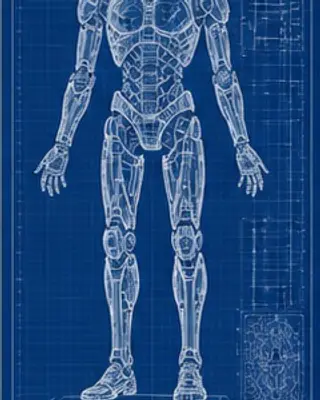
    Create polished visual concepts from a prompt or reference image.

  • Translation

    Adapt content for another audience while preserving meaning and tone.

One AI Chat.Every Leading Model.

MyClaw AI Chat brings Claude, GPT, Gemini, DeepSeek, and more into one workspace. Choose the right model for writing, coding, research, long documents, and everyday questions—without switching apps.

Anthropic logo

Claude

Reasoning

GPT

Coding

Google logo

Gemini

Long context

MyClaw Chat logoMyClaw Chat

Use the right model for every prompt

Moonshot AI logo

Kimi

Research

MiniMax logo

MiniMax

Fast answers

DeepSeek logo

DeepSeek

Cost control

Web search and deep research

Explore current topics, compare information, and turn sources into a clear, useful answer.

AI image generation

Describe an idea, select a style and format, and create visuals from the same chat workspace.

Chat with files

Organize documents into collections, attach relevant files, and ask AI to summarize or analyze their contents.

From prompt to useful result

  1. 1

    Describe your goal

    Write naturally. Ask a question, explain what you want to create, or describe the decision you need to make.

  2. 2

    Add context

    Select a model, enable research, or attach files and images when your task needs more information.

  3. 3

    Keep refining

    Refine the answer, request another format, or build on earlier context without starting over.

AI Chat questions

What can I do with MyClaw AI Chat?+

You can ask questions, draft and edit text, research topics, generate images, create files, and analyze uploaded documents from one workspace. Available tools can depend on your account and plan.

Do I need to choose an AI model?+

No. You can use automatic routing to match a task with a suitable available model, or choose a model yourself when you want more control.

Can MyClaw search the web?+

Yes. Web search and deep research tools can help with topics that require current information and source-based exploration.

Can I use my own documents in a chat?+

Yes. Signed-in users can upload supported files, organize them into collections, attach them to conversations, and ask questions about their contents.

Can I try AI Chat before signing in?+

Guest access may be available directly on this page. Sign in to keep conversations and use the complete workspace, including additional file, image, and research tools.