Town AI Review: Pricing, Townie Agent and App Features (2026)

By Emma Reed
MyClaw Editorial
MyClaw
Run Best-in-Class AI Agents Now
Run OpenClaw or Hermes Agent on managed MyClaw hosting, so your AI agent stays online, updated, and ready for real work.
AI Takeaway
- What is Town AI? Town (town.com) is a personal work assistant—“Townie”—that connects email, calendar, chat, and apps, then runs chats and routines with approval controls (town.com, November 2026).
- What does the town ai app cover? Web Town plus messaging channels (email, Slack, WhatsApp, Telegram) and Town for iPhone; Free includes the assistant across those channels with a 30-chat monthly cap (pricing page, Nov 2026).
- What is town ai pricing in 2026? Free $0; Starter $15/mo; Pro $49/mo (annual); Power $99; Power Plus $199—plus Team $59/seat and Team Plus $149/seat—with credits that refill and do not roll over (town.com/pricing, Nov 2026).
- What can a town ai agent automate? Custom routines with schedule triggers on Starter and email/calendar event triggers on Pro+, including inbox triage, morning and meeting briefings, and template workflows (product docs, Nov 2026).
- How do you keep morning briefings landing without watching a laptop? Use an always-on OpenClaw or Hermes agent on MyClaw for scheduled digests and triage notes—without babysitting a server.
What Town AI Is (Townie, App and Agent)
Town is a managed personal work assistant. You connect the tools you already live in—email, calendar, docs, Slack, and dozens of other apps—and your Townie learns people, projects, and voice well enough to draft, triage, brief, and hand work back for approval. Product pages show dedicated @town.com assistant addresses and describe Town as learning how you work, then getting that work done with you (town.com, November 2026).
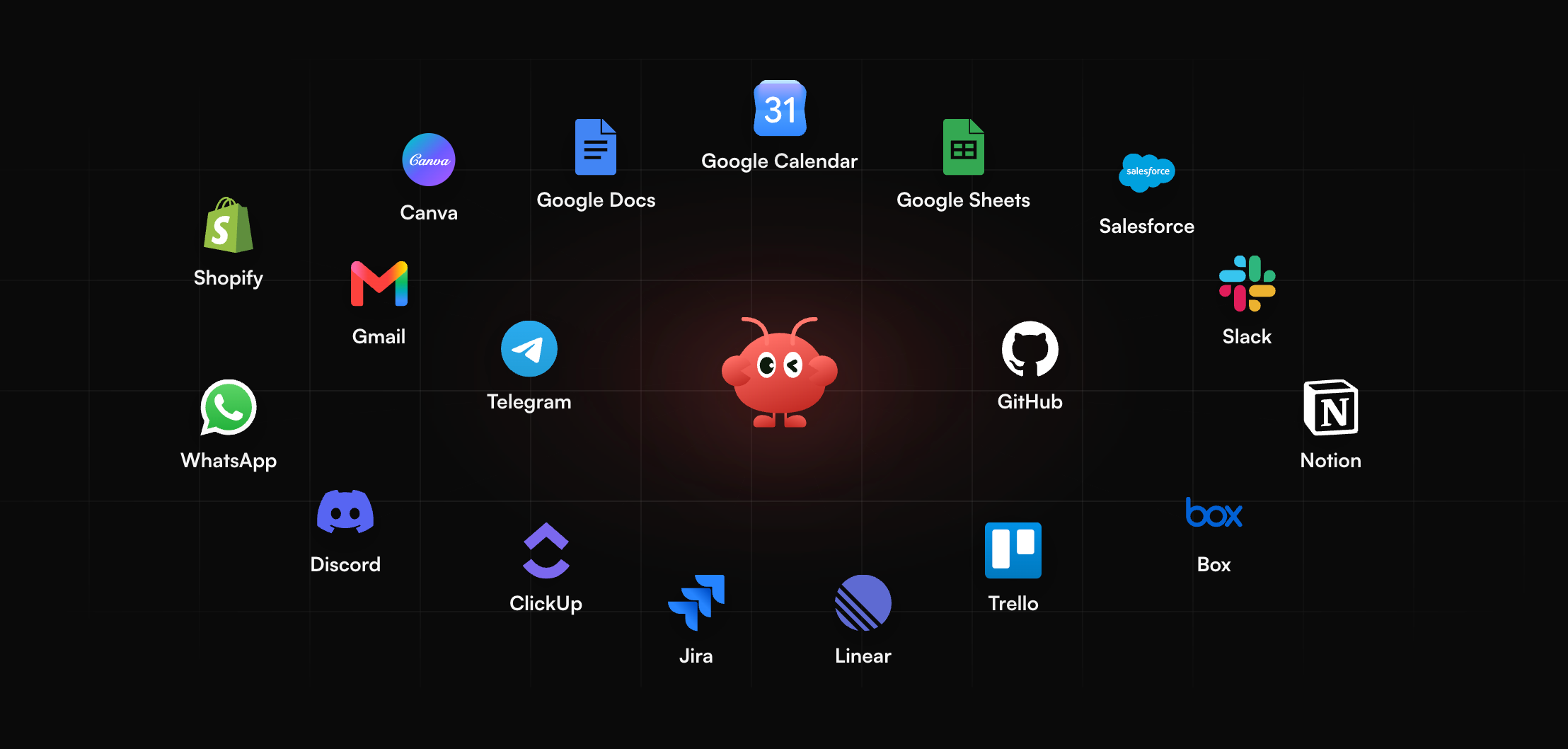
The town ai app experience spans more than one chat box: the web product, messaging channels (email, Slack, WhatsApp, Telegram), and Town for iPhone. Free plan copy includes the personal assistant across those channels plus a weekly morning briefing and a 7-day Pro trial on signup (pricing page, Nov 2026). Integrations span Gmail, Outlook, Google Calendar, Drive, Notion, Linear, HubSpot, GitHub, and many more—Town’s directory lists on the order of 60+ connectors (integrations page, Nov 2026).
If you are comparing managed personal assistants side by side, start with Best Personal Assistant AI.
Town AI Pricing and Credits
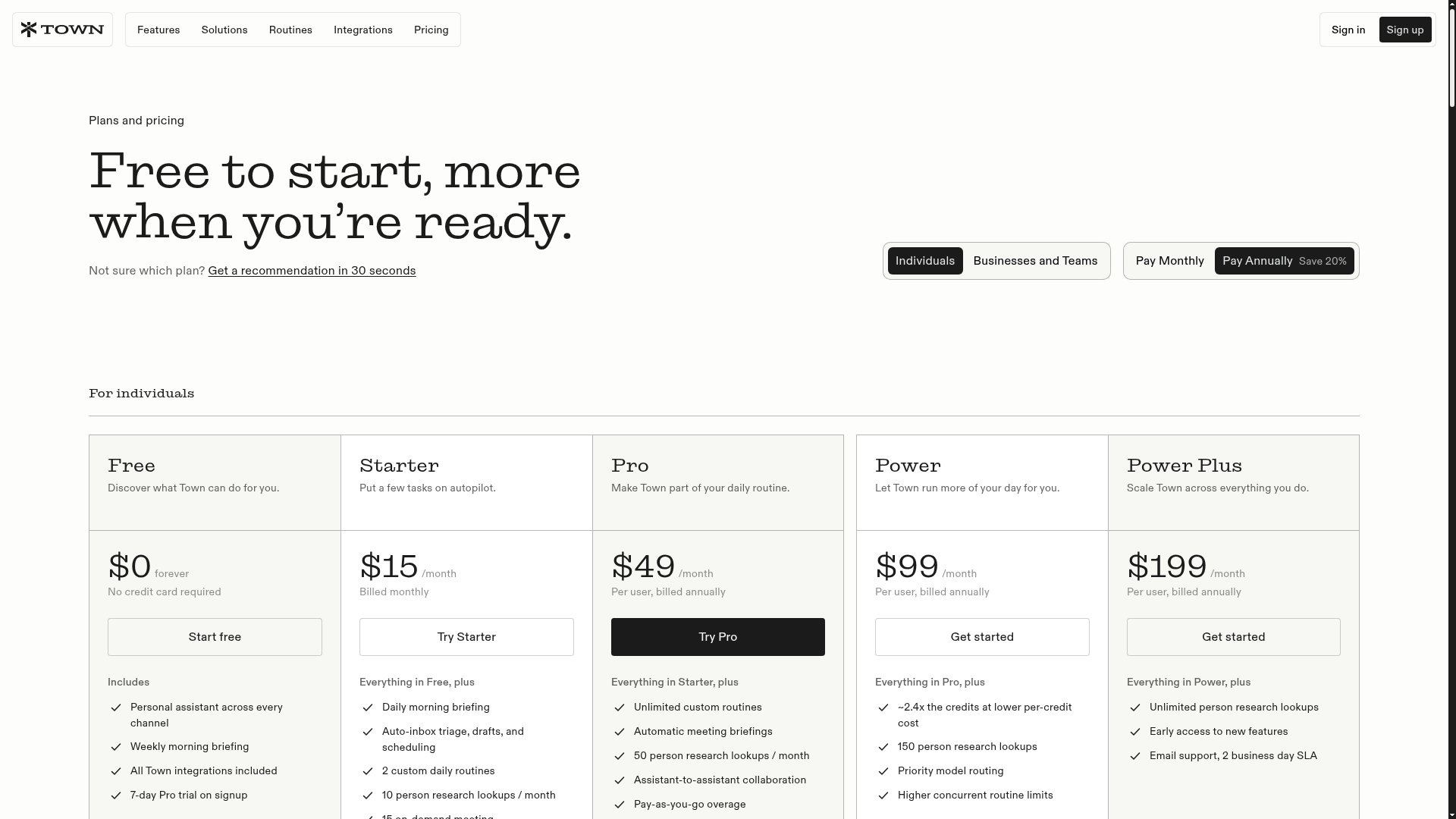
Town AI pricing mixes a permanent Free tier with credit-metered paid plans. Figures below are from town.com/pricing and the Plans & Pricing docs checked in November 2026; live checkout and Settings → Plan & billing are authoritative. Except where noted, Pro and above show the billed-annually rate as a monthly number; the pricing page advertises about 20% savings on annual billing, and Starter is billed monthly only.
| Plan | List price | Included usage | Automation notes |
|---|---|---|---|
| Free | $0 | 30 chats / month | Weekly briefing only; no custom routines |
| Starter | $15 / mo (monthly) | 1,250 credits | 2 custom daily routines; schedule triggers only |
| Pro | $49 / mo (annual) | 5,000 credits | Unlimited routines; all trigger types; PAYG overage |
| Power | $99 / mo (annual) | 12,000 credits | Higher allotment; priority model routing |
| Power Plus | $199 / mo (annual) | 40,000 credits | Largest individual allotment; early access |
| Team | $59 / seat / mo | 6,000 credits / seat, pooled | Shared workspace and team billing |
| Team Plus | $149 / seat / mo | 18,000 credits / seat, pooled | Larger pool; Enterprise is custom |
Credits refill each billing cycle and do not roll over (Credits & Usage docs, Nov 2026). On Free, usage is capped by chat count; paid plans meter chats and routine work in credits. Pro and above can enable pay-as-you-go overage at flat per-credit rates listed on the pricing page—about $0.044 (Pro), $0.038 (Power / Team), $0.032 (Power Plus), and $0.030 (Team Plus)—with an overage cap that defaults to $0 until you raise it. Heavy inbox or research routines can burn credits faster than a quick question, so treat the first paid month as a metering pilot. For another credit-metered agent product to compare against Town’s ladder, read the Abacus AI Agent Review.
Routines, Triggers and Day-to-Day Features
A town ai agent in Town’s sense is your Townie plus routines: scheduled or event-driven workflows that watch inboxes, prepare briefings, and draft follow-ups. Product templates include auto-inbox triage, decline-cold-outreach helpers, morning briefings, meeting briefings, schedule optimizers, GitHub reports, and similar repeat jobs (homepage routine library, Nov 2026).
Trigger gating matters for plan choice. Starter allows schedule or daily triggers at most once a day. Pro and above unlock all trigger types, including new-email and meeting-start calendar triggers (plans docs, Nov 2026). Each routine can run in read-only, approval-required, or autonomous mode, and you can tighten controls per tool so sends and destructive edits still ask first (security docs, Nov 2026).
If you prefer an open-stack agent runtime you install and wire yourself instead of a managed Townie, OpenClaw 2.0 vs Hermes walks through that choice.
Security and Trust Controls
Town markets approvals by default: it should not send email, modify a document, or take a destructive action without your explicit approval unless you configure otherwise (security feature page, Nov 2026). Trust materials claim SOC 2 Type 2 certification, encryption in transit and at rest, US-hosted infrastructure on Convex and AWS, and no model training on connected data by default (trust pages, Nov 2026). Safety docs dated October 30, 2026 also discuss “lethal trifecta” patterns—private data access plus untrusted inbound content plus outbound tools—and describe warnings and approval limits meant to reduce prompt-injection style exfiltration risk.
That does not make inbox agents risk-free. Any tool that reads untrusted email can be steered by hostile text; Town’s approvals lower blast radius, but you still choose what to connect and what can run autonomously. Review the action log on early routines before you widen permissions. If you want a setup path you can audit line by line on your own host, use OpenClaw Getting Started.
Town AI Pros and Cons
Pros:
- Deep work-graph assistant across email, calendar, chat, and 60+ integrations, with approval defaults and action logs (product pages, Nov 2026)
- Clear individual and team plan ladder, including a permanent Free tier and a 7-day Pro trial on signup (pricing page, Nov 2026)
- SOC 2 Type 2 plus training-off-by-default messaging aimed at inbox-connected agents (trust pages, Nov 2026)
Cons:
- Credit metering makes monthly spend hard to forecast when routines read large inboxes or run research loops (Credits & Usage docs, Nov 2026)
- Cloud SaaS only—no self-hosted Townie—and live email/calendar event triggers need Pro+ or a paid team plan (plans docs, Nov 2026)
Who Should Use Town AI (and Who Should Skip)
Use Town if you want a managed Townie for inbox triage, meeting prep, and recurring briefings without running your own agent host. Starter can be enough for a couple of daily routines; Pro is the practical floor once you need event triggers, unlimited routines, and overage headroom.
Skip—or keep Town on a light Free trial only—if you need open-source control, flat model bills you meter yourself, or a self-hosted runtime you can inspect end to end. For that path, browse Hermes Agent Alternatives, freeze one real workflow, and A/B it against Town before you commit credits.
Keep Recurring Briefings Running Without a Server
Town’s morning briefing and inbox triage help while you are online; you may still want a second always-on loop for digests that should arrive while you sleep. Run that loop on an always-on OpenClaw or Hermes agent hosted on MyClaw—no laptop left open, no server to patch. Digests can reach you by email, Telegram, WhatsApp, or browser.
Concrete scenarios: an overnight triage note that lists only threads needing a human reply; a Sunday schedule digest pulled from a calendar export you already sync; or a Friday status draft built from labeled mail—then you edit before anything sends. New to OpenClaw? See What Is OpenClaw.
- Start a MyClaw agent on OpenClaw or Hermes and point it at the channel where briefings should arrive.
- Connect the inbox labels, calendar export, or docs folder that hold the inputs for your digest.
- Assign one recurring draft-first job—such as a weekday morning triage note—then widen after the drafts hold.
Conclusion
Town AI is a managed Townie for email, calendar, and chat work: strong on integrations, approvals, and a Free-to-Power-Plus credit ladder, with the usual SaaS tradeoffs around metering and cloud control. Start on Free or the Pro trial, watch credits on one real routine, and only raise autonomy after the action log looks boring. If you want recurring briefings without babysitting a server, host an OpenClaw or Hermes agent and keep those digests on a schedule you can ignore until morning.
Skip the Setup, Run Best-in-Class AI Agents Now
Launch a managed OpenClaw or Hermes Agent workspace in minutes, with always-on hosting, updates, and support handled by MyClaw.