
AI Birthday Invitation Card Generator: Free Try, Photo Tips & Ideas

By Emma Reed
MyClaw Editorial
MyClaw
Run Best-in-Class AI Agents Now
Run OpenClaw or Hermes Agent on managed MyClaw hosting, so your AI agent stays online, updated, and ready for real work.
AI Takeaway
- Which AI birthday invitation card generator should you try first? Start with MyClaw’s Free Birthday Invitation Maker for birthday, party, and baby shower card images with a printable layout — not a QR or guest-list RSVP platform.
- What does “free” mean on MyClaw? A guest can try one AI request (shared across text and image) with no credit card; more runs need an AI Chat plan. It is not forever unlimited.
- Can you generate an invitation with a photo? Signed-in users can upload a reference image on Image Generator. Treat “photo into a themed scene” claims from other tools as product-specific until you see the result yourself.
- How should you compare the other generators? Use the same criteria for every option: free honesty, with-photo support, printable or shareable output, and whether RSVP or QR is part of the product.
- What should you do next? Open MyClaw’s party invitation tool, brief who / age / when / where / theme, download and proofread; for more generations, check AI Chat pricing.
1. MyClaw Free Birthday Invitation Maker
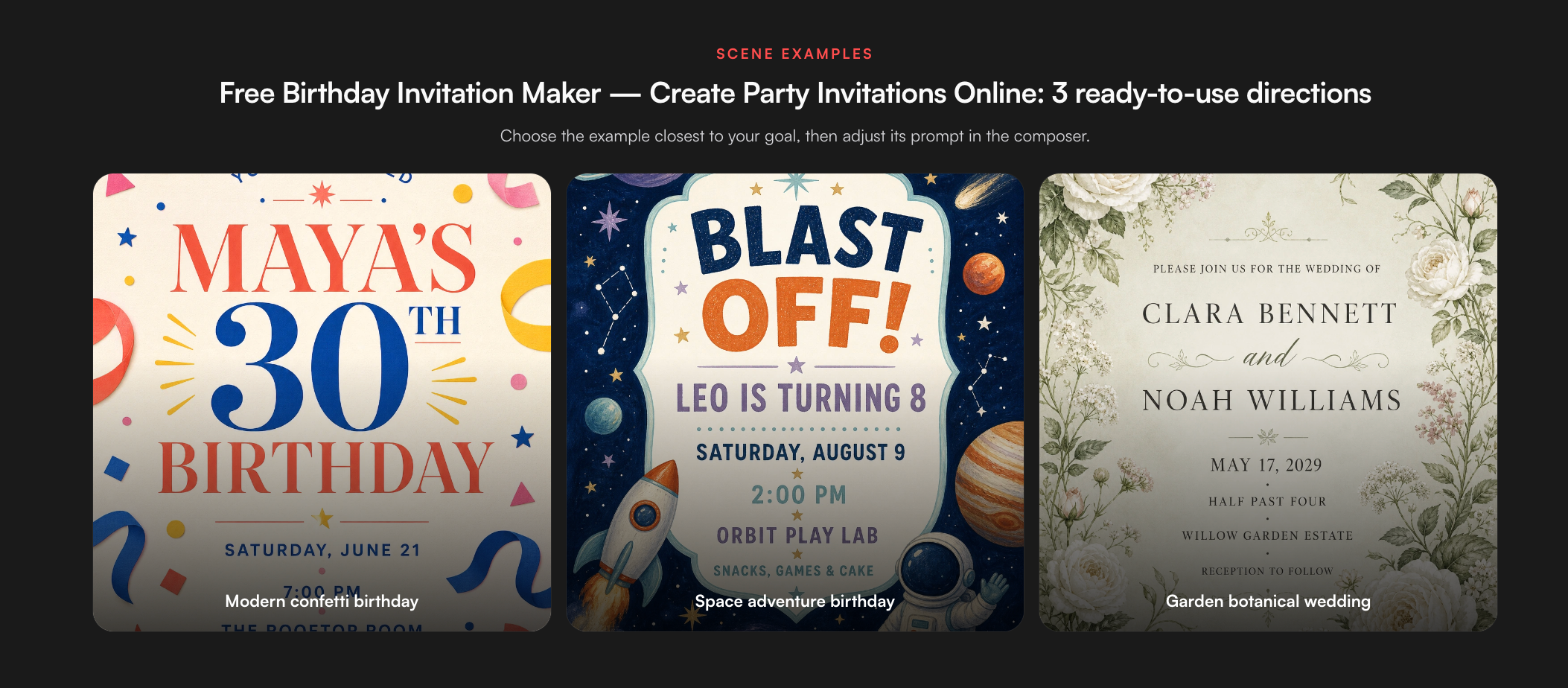
MyClaw Free Birthday Invitation Maker lives under Image Generator. It is built for invitation card art: birthday templates, party directions, baby shower styles, and a printable layout you can download when the image is ready. That is a different job from invite platforms that own guest lists, QR check-in, and RSVP dashboards.
You can try it as a guest for one AI request without a credit card. Need more cards or a reference photo upload? Sign in and continue under an AI Chat plan — image generation shares that plan’s allowance, so check live limits instead of assuming unlimited covers.
If you want the celebrant in the brief, signed-in users can upload a supported reference image (PNG, JPEG, WebP, and related formats listed on the Image Generator hub). A clear photo helps likeness; it is not a promise that every run will drop a face into a party scene the way some specialist invite sites market. Depending on the model, you can steer styles such as photorealistic, cartoon, or digital art, and request one, two, or four variations before you print.
Pros:
- Fast themed birthday, party, and baby shower card images with printable layout
- Guest can try one AI request without a credit card
- Signed-in reference upload plus batch variations in the same Image Generator workspace
Cons:
- Not a QR / guest-list RSVP platform
- More runs need an AI Chat plan — not forever-unlimited free covers
How to use MyClaw for a birthday invitation card
- Open the party invitation tool and pick a birthday, party, or baby shower direction plus the theme you want (kids, teens, adults, milestone).
- Put the event facts in the prompt — who, age, date, time, place, RSVP contact line — and optionally attach a reference photo when signed in; generate one card or a small batch of variations.
- Download the result, proofread every name and number, then use an AI Chat plan if you need more runs.
2. BirthdayInvitation.ai

BirthdayInvitation.ai targets hosts who want photo personalization first: upload a portrait and let the product place the birthday star into a themed invite, with platform extras beyond a single downloadable card. Prefer it when likeness-in-scene and invite-platform features matter more than a one-shot printable card. Prefer a card-first tool when time-to-download is the real score. A/B with the same celebrant photo and the same party facts — otherwise you are comparing prompts, not products.
Pros:
- Strong photo personalization / “be the star” scene positioning
- Invite-platform extras beyond a single downloadable card
- Built around birthday invite + RSVP/QR-style workflows
Cons:
- Heavier than a pure card-image generator if you only need a printable card
- Free path and download rules still need a live check before you commit
3. Venngage AI Birthday Invitation Tool

Venngage’s AI birthday invitation path sits inside a design-suite workflow: generate a starting invite, then polish in a familiar editor — move type, swap colors, align a date block — without a blank canvas. Free usually means plan-gated try/share access, not forever-unlimited generation or free print-file downloads. Choose Venngage when you need a longer layout loop after the first draft; choose a one-shot card generator when a short brief should land a themed invite fast.
Pros:
- AI start plus a familiar design-suite editor for layout polish
- Strong fit when you need to nudge text, colors, and spacing after generate
- Free path to try AI birthday invite features on a plan
Cons:
- Free usually means try/share access — not a promise of free print-file downloads
- Slower path than a one-shot card tool if you only need a quick theme
4. Party Genius AI and CreatEcards
Party Genius AI and CreatEcards lean into the “with photo” query: upload the celebrant, generate, and share as PNG, GIF, or messaging-app images. They fit a social-ready invite tonight better than a print-shop file. Watch free honesty — daily caps, signup walls, and watermarks show up often — and confirm whether “free” still applies at download. Keep print-shop jobs and social shares on different scorecards so a sharp WhatsApp image is not mistaken for a bleed-ready file. Nearby creative jobs like a random background generator can cover Zoom or booth backdrops, but they are not a substitute for the invitation card.
Pros:
- Built for celebrant photo upload and social-ready share formats
- Useful when you need a WhatsApp / PNG / GIF invite tonight
- Matches “with photo” search intent directly
Cons:
- Free tiers often include daily caps, signup walls, or watermarks
- Less ideal when you need print-shop bleed and DPI control
5. PleaseRSVP and AInviter
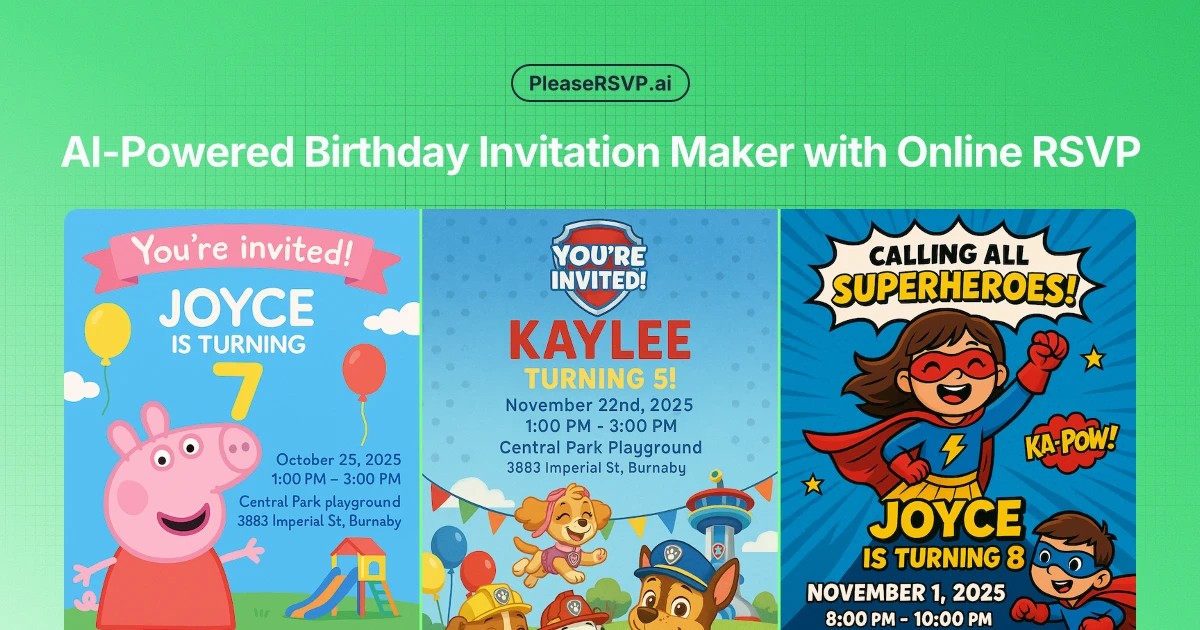
PleaseRSVP and AInviter are RSVP-first peers: guest management, QR check-in, and response tracking sit at the center; card art supports the workflow. Choose them when the costly failure mode is “who is coming,” not “does the card look on-theme.” A card-image generator does not replace a guest-list product. Many hosts still make the card in one tool and track replies in another — that split is fine when each product is honest about what it owns.
Pros:
- Guest management, QR check-in, and response tracking at the center
- Best when “who is coming” is the costly failure mode
- Printable QR / share links keep RSVP next to the invite
Cons:
- Weak choice if you only need invitation card art
- Invite design quality is secondary to RSVP tooling
With Photo: When a Reference Helps
“With photo” usually means the celebrant should be recognizable. A sharp, well-lit head-and-shoulders shot beats a crowded group crop. On MyClaw, reference upload is a signed-in Image Generator capability; guests can still run a theme-only brief for the one free try. Specialists may market automatic face-into-scene placement — verify on your photo before you promise that look to family. The same clear-reference habit shows up in MyClaw’s LinkedIn headshot generator guidance: better input, fewer retries.
Theme-only prompts still work for surprise parties, group invites, or when you lack a usable photo. Lead with mood, age band, and what must stay readable for names and times. If the first with-photo pass drifts, simplify the background and restate exact details (age numeral, date, venue spelling) before another generation.
How to Brief a Printable Birthday Invitation
Put decision facts in the prompt before style words:
- Who the party is for, and the age or milestone
- Date, start time, and end time if it belongs on the card
- Place or video-call link
- RSVP name, phone, or email line
- Theme cues (princess, gaming, garden, formal dinner) and tone (kids vs adults)
Leave room for type. AI text can garble letters — proofread every character after download. Printable layout means invitation-shaped composition, not automatic print-shop bleed and DPI. Crop-check WhatsApp and social squares separately from paper. For broader image-prompt craft, the GPT Image 2.5 notes on briefs and references transfer well to card jobs.
Conclusion
Pick by the job that fails most if you get it wrong. For a fast birthday, party, or baby shower card image, try MyClaw’s party invitation maker first among peers, then continue under AI Chat pricing allowances if you need more variations. Choose photo-scene specialists when likeness-in-scene is the product, design suites when you need a long editor loop, and RSVP platforms when guest tracking matters more than the art. Score every tool on the same four points: free honesty, photo support, output format, and RSVP.
Skip the Setup, Run Best-in-Class AI Agents Now
Launch a managed OpenClaw or Hermes Agent workspace in minutes, with always-on hosting, updates, and support handled by MyClaw.